Showing posts with label library. Show all posts

Wednesday, February 28, 2018

Your Next Book

You'd like to read a book, but you're not sure what to read next.  Unsure of what you're in the mood for or what will be "good," you don't know where to turn.  Sound familiar?  Have no fear, your friendly high school librarian can help!

Websites
These websites' primary goal is to help you find your next book.
Reading Communities
Book Talks, Trailers, Teasers
Browsing Your Library

Image result for harry potter diary gif

Wednesday, January 10, 2018

eLibrary Guided Research Topics


As patrons of the Warrior Run Libraries, everyone has access to a wonderful database called eLibrary (login info below*). eLibrary has always been an excellent source for research at all level, but sometimes it was a bit tedious to use. In December, the company rolled out a bunch of updates that make eLibrary both easier to use and nice to look at.


Of these updates, I am most excited about Guided Research Topics.


Previously, students have been overwhelmed by the many options and results offered by eLibrary. They knew the results were credible, but had a hard time discerning relevance. Guided Research Topics allow students to begin their research with small collections of resources that are guaranteed to be both credible AND relevant.


Of course, users can explore eLibrary as they see fit.  But when students begin their research and just aren't sure where to start, THIS is the answer.

Other updates include:
  • Linking to Google account
    • Log in more easily
    • Save articles directly to Drive
    • Share directly to Google Classroom
  • Visual and intuitive navigation
  • More efficient search engine
  • Simplified icons
  • Citations (including MLA 8)


===================================================================
*When prompted, use the following login:
Username: wrsd
Password: student

Monday, October 2, 2017

Newspapers in the Classroom


National Newspaper Week began in 1940.  And today, almost eight decades later, “American newspapers are demonstrating their resolve each day to help readers determine fact from fiction and to inform the nation of all the important news and issues.” (Thomas W. Newton, Chairperson, 2017 NNW)

To celebrate, this Thursday (October 5), every student and every teacher will receive a copy of the Standard Journal.

Newspapers can be used in any classroom in so many different ways, and in all content areas.  Newspapers can improve literacy, highlight everyday math and science, and connect school to the world.  They contain practical vocabulary and “something for everybody,” like sports, weather, and entertainment.

Here are just a few ideas for using newspapers in the classroom.
  • Read a map
  • Find vocabulary words
  • Study stocks
  • Compare interest rates
  • Use classified ads and sports statistics for math problems
  • Analyze advertising
  • Determine bias in editorials
  • Read current events
  • Locate spelling and grammar mistakes
  • Create a classified ad
  • Write a letter to the editor
  • Make papier mache

And here are links to more ideas:
Lesson Plan: Today’s Front Page (written by a teacher in State College)

Newspapers are also available daily in all Warrior Run Libraries. If you’d like to spread out in your building’s library, just ask!


Wednesday, May 17, 2017

Mini Grants Support Classroom Innovation at All Levels

Each year since 2014, the Warrior Run Education Foundation (WREF) has asked classroom teachers for mini grant proposals.  These grants are intended to fund innovative projects or approaches to delivering curriculum, including professional development, which are supported by research and intended to increase student engagement and learning.

Jean Hormell, Chair of the WREF, says, "our goal is to encourage dreaming by teachers and to find the funds to provide those exciting innovations that our regular district budget cannot cover.  The grants give students new experiences.  Our education foundation supports teachers through mini grants because teachers know their students best, and can evaluate what enhancement will best benefit them.  [Teachers] now have the opportunity to take their students to higher levels with new strategies or equipment."

This year's recipients were:

Rickelle Davis, 1st grade
Rickelle received a grant for Osmo, a learning tool that works with iPads to "merge the power of physical play with the digital advantages of real time feedback."  Osmo helps students learn words, numbers, math, non-verbal communication, spatial reasoning, coordination, ESL, STEM, coding, and so much more.  Rickelle will utilize this incredible innovation with her first graders in the fall as part of independent and collaborative learning stations, which will encourage engagement and excitement.


Middle School Library
The middle school library received a grant for 3D printers to add to their maker space.  Due to its process, 3D printing supporting personalized and project based learning.  From idea to reality, completing the steps allows students to organize and put their plans into action.  Advanced students may use CAD programs to create plans.  Early exposure will increase interest in students, which could lead to more advanced study and career paths.  3D printing combines STEM with art, creating STEAM in the classroom.


High School Library
The high school library received a grant for an updated lounge space.  The library is used in so many ways every day, from studying to socializing and everything in between.  Students like to spread out, and enjoy doing so in a comfortable way.  Currently, the library hosts one lounge area, which is definitely the most popular spot.  There are often more students than chairs, and students drag over uncomfortable chairs or even sit on the floor to make sure they're included in the conversation.  A new lounge area will give students a place to communicate and collaborate in a comfortable way.  The high school library now has an opportunity to support students and their learning, simply by giving them a more comfortable place to sit.


Wednesday, March 8, 2017

Fight Fake News


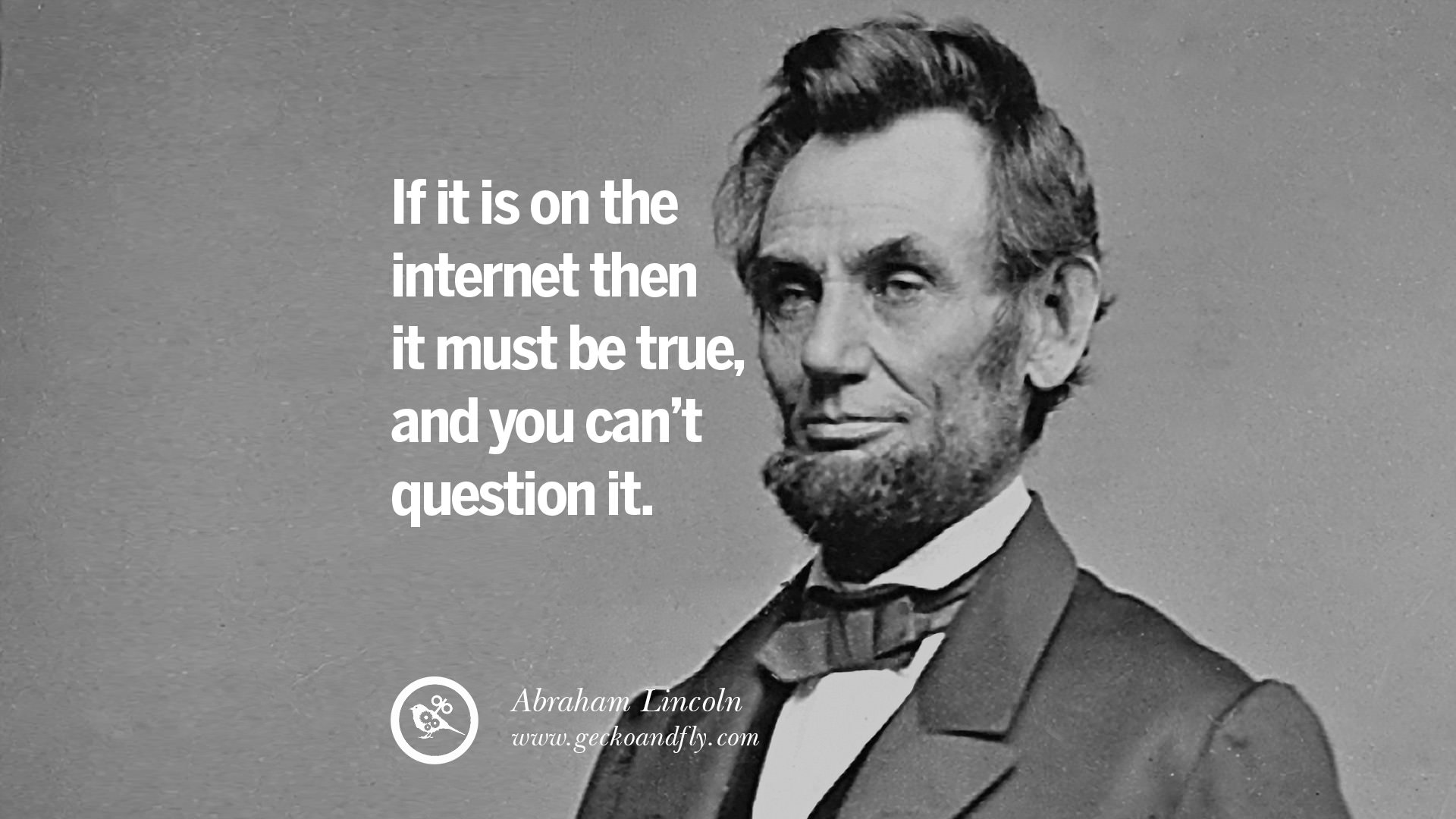
The term "fake news" has been flung about a lot lately.  What is it?  How do we fight it?  How do we teach our students to wade through it?

Fake news is just what the term implies - "news" that is untrue.  As librarians, we exist to help other find accurate information.  Because this is our truest purpose, Marcus Banks laments that "the recent explosion in unverified unsourced, and sometimes completely untrue news has been discouraging."  And so librarians can help are helping their learning communities fight fake news.

Where does fake news even come from?  As Banks explains, "the majority of US adults are getting their news from in real time from their social media feeds.  These are often uncurated spaces in which falsehoods thrive."  News that is intentionally 100% fake is less common, but still a real problem.  Banks says "the news-savvy consumer is able to distinguish fact from opinion," but "growing evidence suggests these skills are becoming rarer."  Simply put, it is easier and faster to Google answers and share Facebook posts that it is to look for the facts.  

So how to we encourage our students to do the latter?

This viral infographic shows popular news sources and where they fall on the spectrum of bias, depth, and reliability.  Simply posting this in your classrooms would give students a nudge to choose better sources for their inquiries.


TedED published an interactive video lesson about how false news can spread.  The 3:42 minute video explains circular reporting with accompanying quiz and discussion questions.  Using this exercise in class would help students at all levels understood the fake news phenomenon.


Here are some more resources:

Information literacy is as important as ever, perhaps even more so.  As we fight fake news in our daily lives, information literacy becomes a vital skill for all 21st century learner.

Friday, February 24, 2017

Green Screen

If you've ever watched the weather segment on your local news, you've experienced green screen technology.  While it isn't exactly brand new, it is still exciting!  

What is green screening exactly?
It is a video technique that utilizes a green background in front of which moving subjects (like students!) are filmed and which allows a separately filmed background to be added to the final image.

What equipment does it involve?

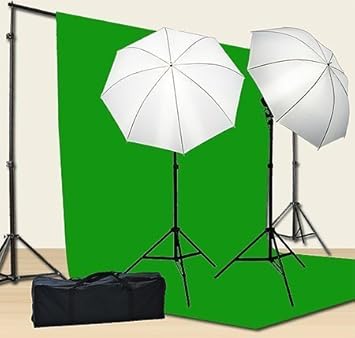
  • Green background - in the HS and MS libraries, we have green screen kits that look like the picture below
  • Green screen app - we have an app called DoInk on our iPads for students to create images and videos using different backgrounds
Image result for chromakey green screen kit


How can we use it?
Honestly, the possibilities are endless!  To give you a few starters,
  • Mrs. Travelpiece's 9th grade English students have filmed a few green screen pieces to use within their book trailer videos.
  • 5th grade science students learned about volcanoes with Mrs. Kramer and Ms. McCormick.  One of the options for the summative assessment was to "report live" from an erupting volcano.  So their background was a volcano, then they filmed themselves giving a news report.  Here is an example:


Why should we do green screen projects?
Projects like this lend themselves well to alternative assessments and creative project-based learning.  Students will learn to plan for multimedia pieces, like a story board.  They would possibly need to write scripts, collect props, find images or videos for their background.  Students acquire knowledge in lessons, then apply it in this sort of project.  Secondary skills are developed as students work with classroom content.

Do green screen videos need people as subjects?
No!  Many green screen projects involve inanimate objects, animation, and stop-motion animation.  So many options!

This sounds cool!  How do I get started?


Wednesday, January 18, 2017

How Students Use the Library

At Warrior Run, students can visit the library in one of two ways: with their classes or on their own.  When they come with their classes, it’s usually because they’re working on a project of some kind:
  • At the high school, they could be researching for a paper or collaborating on a multimedia project.**  
  • At the middle school, they could be learning the steps in a new project or creating with a web 2.0 tool.**
  • At the elementary school, they’re learning how the library works and checking out books in “library class.”**

Even though classes are not scheduled in the libraries all day every day, students are using them independently all day long.  Why??  According to AASL (and we librarians know)...


So what are students actually doing when they visit the library on their own?


As you can see, students make the most of their libraries at Warrior Run. They are taking charge of their education and making wise use of their free time. With ever-increasing demands on students' time, they have found a space that allows them to work efficiently and effectively during the school day.


Encourage your students to visit the library as soon as possible!


**These lists are by no means comprehensive.

Thursday, November 10, 2016

How Librarians Support Curriculum

As librarians, we aim to bring new ideas, assist you with getting the ball rolling and be a helping hand when things aren’t going as planned.  Here are some ways we are able to help you in your classroom:

  1. We are skilled in resource cultivation.
Have a question?  We might not have an answer, but we are experts at knowing how to find one.  If you tell us an idea or an area you want to explore, we can get started on researching from our end to find the best resources, gain ideas from others in our field and gather a plan of attack.

One example of this recently came up when a teacher asked me for resources because she was assigning a peer expert project.  I gathered library materials, database information and citations instructions for her to share to her students.  Putting our ideas together, she will execute a project that builds on what students have learned about research in previous years.

  1. We never say, “That’s not in my job description.”
If I need an article, I want some ideas on how another school does something, or I just don’t know where to get started, I can pose a question on our school librarian listserv and I will get dozens of responses.  These are not always related to libraries either.  I posed a question about school recycling programs and they told me how they make it work in their buildings!

We also connect with librarians at conferences, we keep in touch with our mentors and role models, and we participate in idea exchanges through Twitter.  The point is, librarians love to help and that includes each other, creating a huge network of support to which we are able to reach out when we need fresh ideas.

Sometimes all you need is another adult to facilitate, or someone to figure out why the heck your speakers don’t work.  We can do that, too.

  1. We fund access to a variety of educational resources for the district.
You probably know about Discovery Education and use it to show videos related to your content, but did you know the middle school has access to Britannica school edition?  Or that the high school can use EBSCOHost?  When it comes to asking students to do research, it will save you a lot of time and heartache if you ask us to prepare a list for you and give the students a “starting line” for their research.  We would be happy to help with that.

We also buy books, of course.  Let us know if you want books in the library on a certain topic and we can make that happen, too.

  1. We are experts in educational technology integration.
There’s a teacher who often says to me, “I want this to be the product.  Can we make that happen?”  I love this because she’s using me as a resource and tapping into my interest in technology.  We see a lot of great ideas, but we are also willing to investigate new ones.

Keeping up with technology feels like running a race where the finish line keeps moving.  But we love it.  It never ceases to amaze us what teachers will come up with and we are impressed with the ways in which teachers leverage technology to create meaningful learning opportunities that could not have existed before.  Want to hear more?  Ask us!  There’s so much good out there.

  1. We are knowledgeable about current trends in education.
Cooperative learning.  Hybrid learning.  Project-based learning.  These are buzzwords.  What matters is the student and their learning.  We know that and we know that sometimes these buzzwords feel like a new spin on an old idea.  Still, there are great educators out there doing great things (including lots of them right here at Warrior Run!), and we pay attention to what they are so we can share them with you.

The uniting theme behind all of these is collaboration.  We’re really good at that.  Just ask.


Wednesday, October 5, 2016

Discover Databases

Every year, we ask students to complete several research papers and projects.  Every year, we remind them to use credible sources (and what credible sources are/are not).  It is our instinct to “google” stuff, which is great for quick facts and information.  

But how do we find credible, research-paper-worthy information quickly?  
And how do we help our students do that?  


The answer is databases.  


The libraries utilize several subscription and free databases, which are available for anyone to use on and off campus.  They are accessible through the school library websites:


This short video explains what databases are and why we need them.


Databases cover topics from history and science to literature and art to engineering and current events, plus everything in between.  Benefits of databases include:
  • Better information faster
  • Availability of current, historical, and primary source materials
  • Access to information from anywhere, anytime (it’s online!)
  • Pre-formatted MLA citations available


Please encourage your students to begin their research using databases.  From there, they can branch out to other internet sources.  And of course, we have plenty of books available!


If you would like to learn more about databases, or for your students to learn more, please contact your nearest librarian!


Wednesday, September 21, 2016

September is Library Card Sign Up Month!

You can do so much with a public library card without even going to the library.  Did you you know you can borrow e-books from the library?  They’re free!  They’re convenient!  They’re available on any device!

Like many public libraries in 2016, the Montgomery House Public Library uses Overdrive, a company who hosts digital content for your use and enjoyment.  To access millions of titles from thousands of libraries, all you need is a library card.

Sign up for (or renew) your library card today - CLICK HERE!

With your public library card, you can download the e-books you’d like to read -- for free!  In case you’re not convinced, these are some perks:
  • They’re free
  • You can use them on any device - phone, tablet, computer
  • The due dates are automatic - you don't have to remember to return it, so no fines!
  • They’re free
  • Audio versions are available
  • ALL genres and levels available (children's, non-fiction, and more)
  • They’re free

Theresa created a video tutorial to walk you through the process of selecting a borrowing a book online.  Watch below!