Showing posts with label flipgrid. Show all posts

Wednesday, January 22, 2020

Reflection in learning

Thank you to everyone that sent me your words for 2020. I really enjoyed reading them and hearing your thoughts. I've decided to choose the word "Focus" because I find that I let myself get distracted by competing priorities and I'm working to strike that proper balance between family, work, and my grad classes.

The reason for choosing a word for your year is to reflect. Reflection and metacognition are powerful ways to make learning stick. So this post will explore techniques for incorporating reflection into your classroom.

According to Bransford et al. (2000), "Metacognitive approaches to instruction have been shown to increase the degree to which students will transfer to new situations without the need for explicit prompting."  The strongest learning happens when the new knowledge can be applied in a different situation, as we know from models like Bloom's Taxonomy and Webb's Depth of Knowledge.  

Some of our instructional practices already contain the opportunity for students to reflect on their learning, such as Everyday Math, which prompts teachers to ask students about how secure they feel on particular skills or topics.  If you've ever used an exit ticket, you're using reflection.

Here are some effective ways to incorporate reflection in your instruction:

Add these to your teacher toolkit.  Now here is a reflection question for you:

What does it mean to have usable knowledge?

Wednesday, September 5, 2018

Digital Presentation Tools

Storytelling, multimedia and digital presentation is just one way that technology can be meaningfully integrated into instruction.  Technology becomes powerful when students are doing the creating.  This blog post will be a refresher on some great digital tools for presentation creation.  Some of them may be new to you, so check them out!

Tool
Video Tutorial
Example
Adobe Spark
Flipgrid
Sutori
Prezi
Google Slides
PowToon
Easy ESL Games (made with PowToon)

All of these have single sign-on with Google, so use your Google account to test them!


Thursday, November 9, 2017

Flipgrid for giving every student a voice

While graphic organizers, exit tickets, and worksheets are a standard in every classroom, it is not the only way to get input from kids.  Google Classroom, Kahoot, Quizizz, and other tech tools can collect discussion answers, documents, or quick answers from students.  A tool I recently learned about, Flipgrid, is set up to accept picture, text or video responses to a prompt.  Students can see and comment on the posts of others as well.  Here’s how it might work:


  1. Teacher creates a “grid” related to a specific subject or grade level such as social studies, 3rd grade, or HS art.
  2. Teacher creates a topic related to their grid subject, such as volcanoes, narratives, or solving two step equations.  This should ask a question or require input from students.  For example, it could be, “Tell me a story using time order words,” or “How do you solve this equation?”
  3. Teacher shares the topic to the students and students give their input as a picture, text, and/or video.  That way they can talk through their learning, speaking out loud about how to complete a task, or they can show and talk about their results.
  4. Students can view and comment on their classmates’ submissions using emojis similar to Facebook.


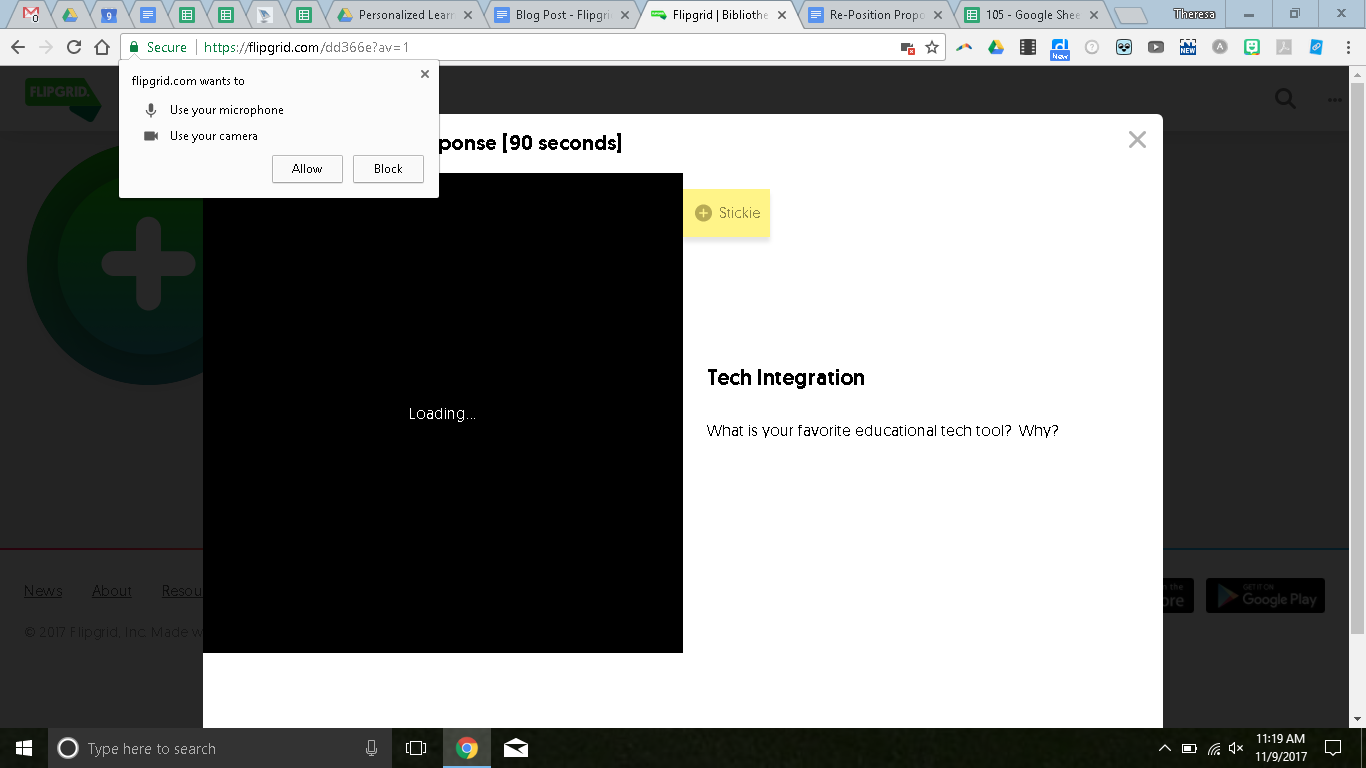
There is an iPad app, but you can also record from the chromebook.  When you click the + to add a response, it will prompt you to use your camera and microphone.


Once they allow these, then students will click the camera to record.


It will prompt the students to give their names and emails.  I would recommend you just have them put their first name and last initial.  Or just initials.  Once they post, they can view the posts from others.


You can contribute to my example here.

This could be a great first step to making great digital citizens who know how to use the tech resources for their learning.  If you have questions or need help, let me know and I’d be happy to stop by!