Showing posts with label feedback. Show all posts

Thursday, November 9, 2017

Flipgrid for giving every student a voice

While graphic organizers, exit tickets, and worksheets are a standard in every classroom, it is not the only way to get input from kids.  Google Classroom, Kahoot, Quizizz, and other tech tools can collect discussion answers, documents, or quick answers from students.  A tool I recently learned about, Flipgrid, is set up to accept picture, text or video responses to a prompt.  Students can see and comment on the posts of others as well.  Here’s how it might work:


  1. Teacher creates a “grid” related to a specific subject or grade level such as social studies, 3rd grade, or HS art.
  2. Teacher creates a topic related to their grid subject, such as volcanoes, narratives, or solving two step equations.  This should ask a question or require input from students.  For example, it could be, “Tell me a story using time order words,” or “How do you solve this equation?”
  3. Teacher shares the topic to the students and students give their input as a picture, text, and/or video.  That way they can talk through their learning, speaking out loud about how to complete a task, or they can show and talk about their results.
  4. Students can view and comment on their classmates’ submissions using emojis similar to Facebook.


There is an iPad app, but you can also record from the chromebook.  When you click the + to add a response, it will prompt you to use your camera and microphone.
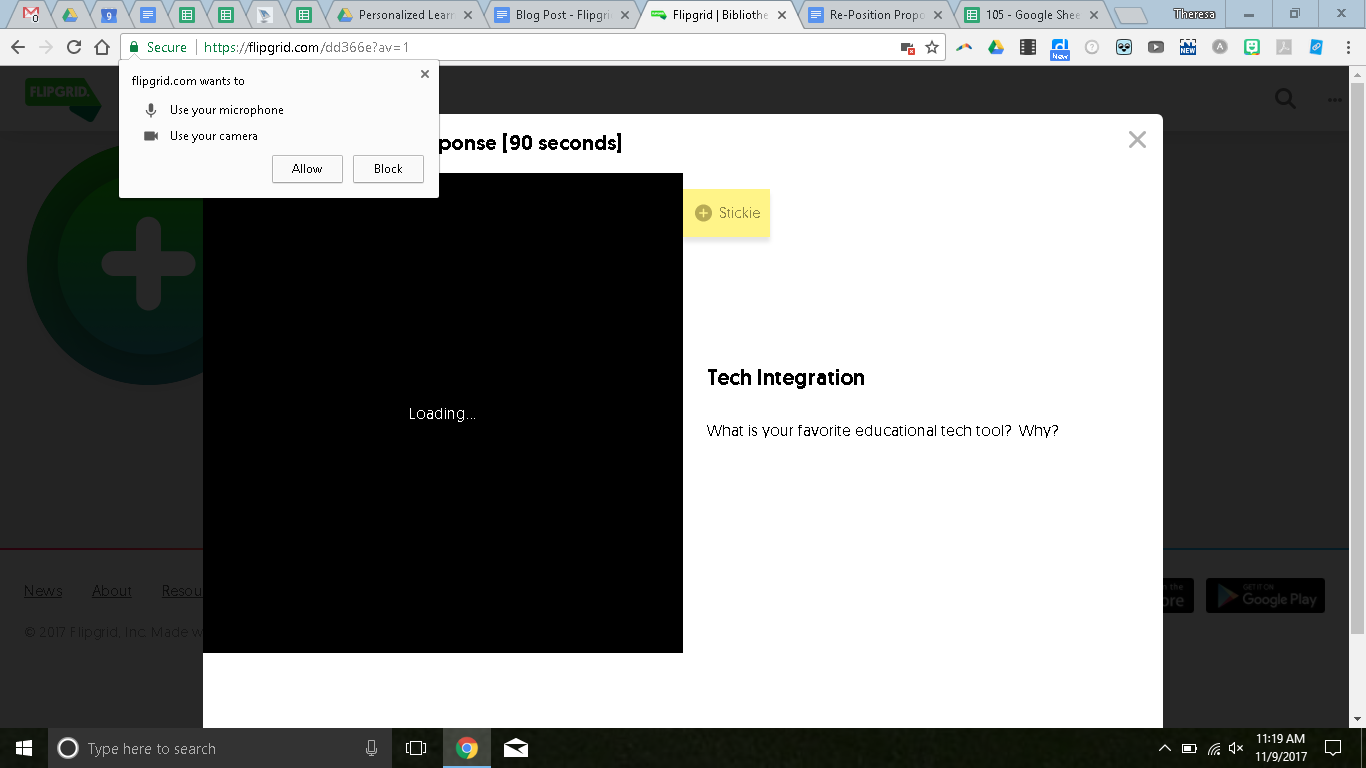


Once they allow these, then students will click the camera to record.


It will prompt the students to give their names and emails.  I would recommend you just have them put their first name and last initial.  Or just initials.  Once they post, they can view the posts from others.


You can contribute to my example here.

This could be a great first step to making great digital citizens who know how to use the tech resources for their learning.  If you have questions or need help, let me know and I’d be happy to stop by!

Wednesday, April 5, 2017

Nearpod and VR

As education moves towards a focus on authentic learning (thank goodness!), there is also a push to move beyond the classroom walls.  One way that teachers are doing this is through virtual reality.  Many teachers are already taking advantage of the virtual reality headsets available in the middle and high school libraries.  Our students have “left” the classroom to experience coral reefs, Mars, Versailles, Machu Picchu, and other places otherwise unavailable to us.


Nearpod is now offering this opportunity embedded into what is already an interactive lesson when using their software.  Teachers interested in using it, make sure you sign in with Google!  Their program, available across all devices, allows you to direct what is showing on the screen and collect formative assessments from students throughout the lesson.  One of these options can now be a 360 degree view of places around the world...and the universe!


Let’s try it out!  The lesson below is a ready-made virtual reality lesson from Nearpod which is free and it goes through different types of Native American Housing.  They recommend this lesson for grades 4-9, and students can work through it on a chromebook, with a mobile device, or with a VR headset (for the full immersion experience).


When you create your own lessons, you can choose to include a few VR experiences (known as a field trip) for your students in that lesson.  Or, you can choose from the pre-made lessons from Nearpod.  Many, but not all, are free.  They are all of a very high quality.


If you are interested in trying it out, make sure you redeem the free 6 month subscription to Nearpod Gold Edition by following these steps:
  1. Create an account (with GOOGLE!) if you have not already done so.
  2. Go to nearpod.com/redeem and enter the code PETE&C17.

That’s it!  See your building techspert or me if you have questions!

Wednesday, December 14, 2016

Feedback

Adding to Theresa's post from last week...

Feedback is important.  Some one say it is a (the?) key to learning.  For students, timely and constructive feedback is everything.  Students appreciate receiving personalized comments and individualized responses.  High quality feedback directly correlates to high quality assessments.
"Feedback helps us learn from our mistakes.  It reveals new perspectives and options you might not have explored otherwise."  - Natalie, grade 10
This article from Edutopia quickly explains how, when, and why to give students feedback.  Its key points are:

  1. Be constructive, kind, and specific.  Start with what's working, critique without scolding, and be relevant.
  2. Reflect, then revise.  Try handing back assignments with JUST comments, which sort of forces students to read them instead of just glancing at the grade.
  3. Be timely.  Provide feedback within 24-48 hours so it keeps its context.
Several of the educational technology pieces we use offer opportunities to give high quality feedback.  To name a few:
Of course, traditional methods work well too!  Handwritten comments and individual conversations go a long way with all students.

Do you give high quality feedback in other ways?  Leave a comment and let us know!