Wednesday, October 12, 2016

VR in the classroom

It can be fun and scary to think about the future.  There’s so much uncertainty, so much worry, but my sanity requires me to focus on the positive and the possibilities for the future, especially the future of education.


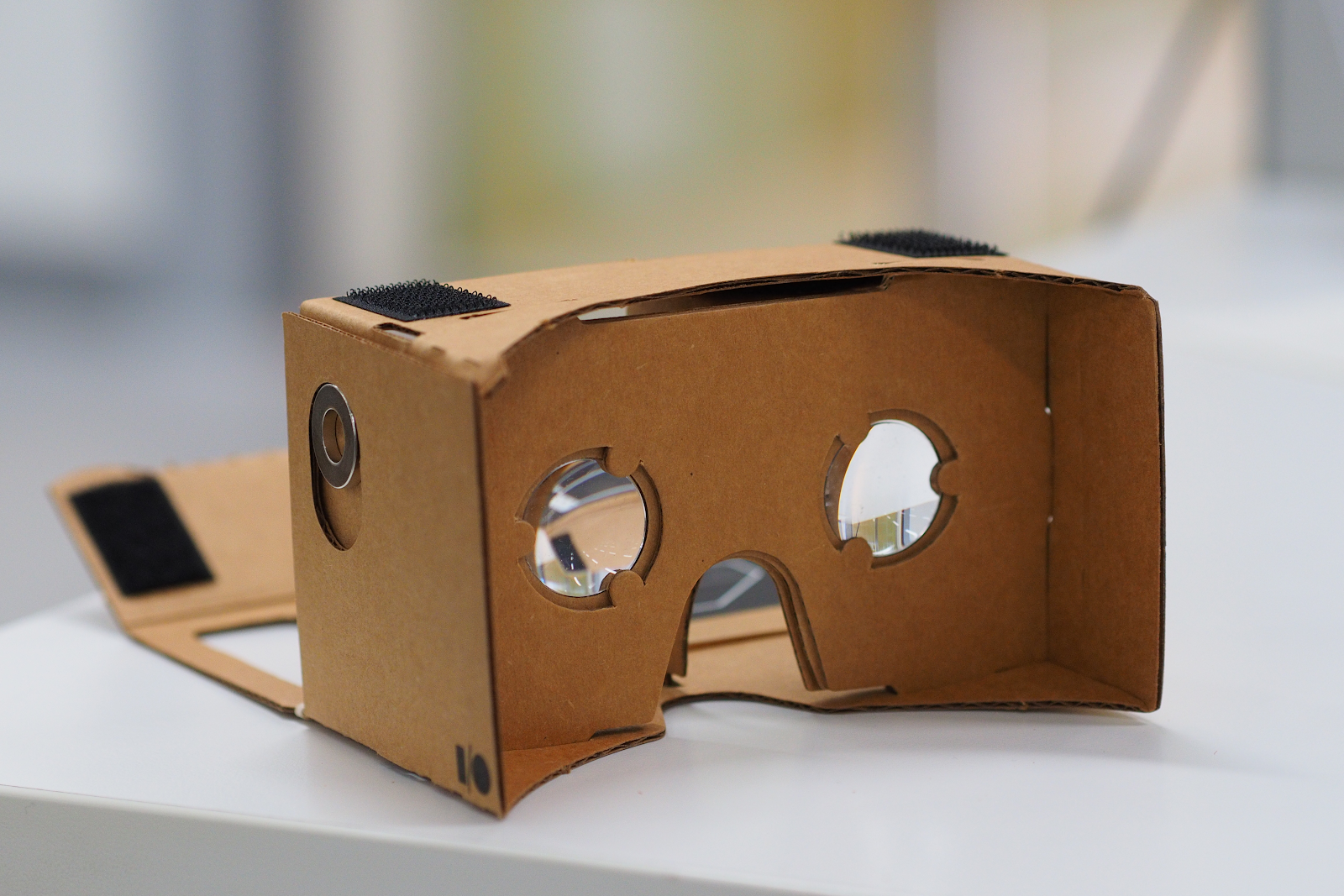
That’s why I’m excited to explore the idea of virtual reality (VR) in education.  It’s not like I think we are all going to have VR headsets next year for our independent stations, but it’s pretty exciting to consider the possibilities as this technology becomes more mainstream (and therefore more affordable).  It’s not a “right now,” but “soon.”


There are quite a few different makers of virtual reality headsets that just work with a cell phone now, ranging from cardboard to a sturdier plastic case.  The most popular are:


In order to use this in the classroom, it has to connect to the curriculum and our original objective - to immerse students in the learning experience.  From learning opportunities that simulate experiences, explore inaccessible locations, supplement course curriculum or travel to distant landmarks, there are some fantastic ideas for implementation.  These ideas can be made possible in a number of ways:


So, why VR?  Are there real benefits?  According to research by Samsung, 85% of teachers agree that virtual reality would have a positive effect on their students, but only 2% are actually using it in their classrooms.  These include helping students better understand the concepts, allowing for great collaboration in the classroom and increasing student motivation.


To get started, you need the gear.  This is definitely a topic I’m interested in exploring over the next few years.  If you’re interested too, get in touch and let’s work together!

Wednesday, October 5, 2016

Discover Databases

Every year, we ask students to complete several research papers and projects.  Every year, we remind them to use credible sources (and what credible sources are/are not).  It is our instinct to “google” stuff, which is great for quick facts and information.  

But how do we find credible, research-paper-worthy information quickly?  
And how do we help our students do that?  


The answer is databases.  


The libraries utilize several subscription and free databases, which are available for anyone to use on and off campus.  They are accessible through the school library websites:


This short video explains what databases are and why we need them.


Databases cover topics from history and science to literature and art to engineering and current events, plus everything in between.  Benefits of databases include:
  • Better information faster
  • Availability of current, historical, and primary source materials
  • Access to information from anywhere, anytime (it’s online!)
  • Pre-formatted MLA citations available


Please encourage your students to begin their research using databases.  From there, they can branch out to other internet sources.  And of course, we have plenty of books available!


If you would like to learn more about databases, or for your students to learn more, please contact your nearest librarian!


Sunday, October 2, 2016

Putting Robots to work in the Classroom

There are several types of robots which have become popular in classrooms over the past few years.  They include Dash and Dot, Spheros and Ozobot.  Each of these has different benefits and your own creativity is the limit for how it might be used in your classroom, but here is some information on them and ideas for them to hopefully inspire you to try something new.


Robot
Pros
Cons
What you need
  • Has a toggle between “Drive” mode and “Programming” mode
  • Fun to drive
  • Virtually indestructible
  • Very easy to turn on and connect
  • App comes with challenge ideas
  • An “educator kit” comes with 12 spheros and chargers, measuring tape, protractors and stickers
  • “Programming” mode allows kids to try out coding on their own
  • Need accessories for more advanced usage, such as outdoors
  • Controls can be difficult for younger kids
  • Better for using on the floor
  1. Lightning Lab app (iOS/Android)
  2. Device with bluetooth to control it (iPad or other mobile device)
  3. Teacher Account and student accounts (if you want to save your students’ programs) on Lightning Lab
  4. To email Theresa and ask her to borrow them! :)
  • Great for younger kids
  • Two-parts allows for greater use
  • Teaches a simple type of coding, exposing kids to this growing STEM field
  • Speak and make sounds to accompany actions
  • Senses objects around them
  • Reacts to light and sound
  • Needs accessories for more advanced options
  • Pricier than other robots
  • Should be used on the floor preferably
  1. Mobile device with bluetooth
  2. One of the four apps to operate Dash and Dot (more info here).
  • Control with block-based programming and coding that is also color-coded
  • Play with multiple LED lights for different effects
  • Very small - only 1 cubic inch (good for table top play)
  • Charge and program with a computer
  • Follows lines and detects colors
  • Much cheaper than other robots
  • Smaller and more fragile
  • Must use the website to program it
  • Has a one-time upgrade fee of $9.99
  • Works best with the starter kit
  1. Ozoblockly website
  2. Computer with USB port for charging
  3. Set of markers for color detecting


The strength of these devices is in their ability to allow students to experience inquiry and project-based learning.  They can be used in a variety of ways, from being a pawn that moves through a review game, to an exercise in communication on the steps involved in a process.  Consider the concepts you are teaching this year and ask, “How could this be a tool in my classroom?”

Two middle school students program their Sphero to follow the line
Not every kid needs to learn to code.  Not every kid will work in STEM fields someday.  But every kid is inspired when you use 21st century technologies in their learning.  If you are interested in using the Spheros set of 12 that we already have in the library, please let me know and I would be happy to loan them to you or work with you on using them in the classroom.

Wednesday, September 21, 2016

September is Library Card Sign Up Month!

You can do so much with a public library card without even going to the library.  Did you you know you can borrow e-books from the library?  They’re free!  They’re convenient!  They’re available on any device!

Like many public libraries in 2016, the Montgomery House Public Library uses Overdrive, a company who hosts digital content for your use and enjoyment.  To access millions of titles from thousands of libraries, all you need is a library card.

Sign up for (or renew) your library card today - CLICK HERE!

With your public library card, you can download the e-books you’d like to read -- for free!  In case you’re not convinced, these are some perks:
  • They’re free
  • You can use them on any device - phone, tablet, computer
  • The due dates are automatic - you don't have to remember to return it, so no fines!
  • They’re free
  • Audio versions are available
  • ALL genres and levels available (children's, non-fiction, and more)
  • They’re free

Theresa created a video tutorial to walk you through the process of selecting a borrowing a book online.  Watch below!


Wednesday, September 14, 2016

Quick Tips for Google Docs

The other day I was teaching a lesson and telling students to make a new Google Slides set by clicking the red button in Google Drive, but all of their buttons were blue. It can be frustrating how much and how many updates there are to online programs, especially Google. Google updates more than 600 times a year, so almost twice a day. These are usually small changes that we don’t even notice or when we do, they are easy to just say, “Oh, ok, got it.”

Here are some additions or changes that you may have missed but which could be useful to you.

What it is - Expiration dates

How it works - You can share a document to a student, coworker, or outside collaborator but share it for a limited amount of time. To do this, follow these steps:


How you could use it - If you don’t want students to have access to an assessment the following year, you can set the expiration date to the end of the year. If you want input from coworkers or other collaborators, but want to close out opportunities for input to a certain deadline, you could set the expiration date to that deadline. If you want students to work on an assignment, but don’t plan to grade it right away, you can make the expiration date the deadline for the assignment so they can’t make further changes.

If you have other ideas for how to use this, please let me know!

What it is - Share a link that automatically makes a copy

How it works - When a user clicks on the link you provide them, instead of taking them to your original document, it prompts them to make a copy in their own drive.

To use this, follow these steps:


So the address might look like this to begin with:


And then you will replace where it says edit to copy:


And then hit enter and the screen will look like this:


When you share this link, the person who receives it will see the same option. This allows them to edit a new version for themselves instead of editing your original, or making them go through the steps to make their own copy.

How you could use it - Have students make a copy, then share it back to you to fill out a worksheet. Share a template that you would like coworkers or collaborators to complete.

Do you have more ideas for how it could be used? Send them my way?

These tips could be something that saves you a few steps in the future, so try them out! As always, if you have questions, you can email me or stop by!

Wednesday, September 7, 2016

Use Your Noodle Tools


Noodle Tools, in their own words, “is a responsive, user-friendly research management platform with baked-in wisdom accumulated over years, and proven track record across thousands of schools and universities.  Since 2013, we have been teaching students to organize and manage their own research and resources.  This year, the Noodle Tools team rolled out a few updates, so it seemed like a perfect time to share with you.

Why pay for Noodle Tools?  Why not just use EasyBib?
When Google Docs added the EasyBib citation feature, I asked this very question.  Damon Abilock, one of the creators, clarified for me:

“EasyBib is simply an auto-cite mechanism, [which is] tempting in theory, but in reality does not work well… Resulting citations are completely dependent on how the author constructed the content.  EasyBib is wrong more often than it is right, and students assume that something generated for them is correct.  In addition, Noodle Tools prompts the student to think about what the content actually is.”

How can I access Noodle Tools?
In the high school, we use a paid subscription.  There are two ways to get there:
  1. When you’re in Google Drive or Gmail, click the waffle menu at the top right.  Scroll to the bottom of the list, and choose the Noodle Tools app.
  1. Go to the district website, click on Students > High School Students > Noodle Tools.
In the middle school, teachers and students use Noodle Tools Express.  The biggest difference here is that while students can still create citations, they cannot store their research and resources.  It is an excellent bridge between middle and high school research projects.

What are the benefits of Noodle Tools?
Besides critical thinking, communication, and collaboration...

Noodle Tools is for more than language arts and social studies.   Any project requiring research requires proper citations!  Please let us know if you would like more information about Noodle Tools, how it works, and/or how to use it with your students.